
v1.0.9 · Windows · macOS · Linux
Markdown editing,
without the bloat.
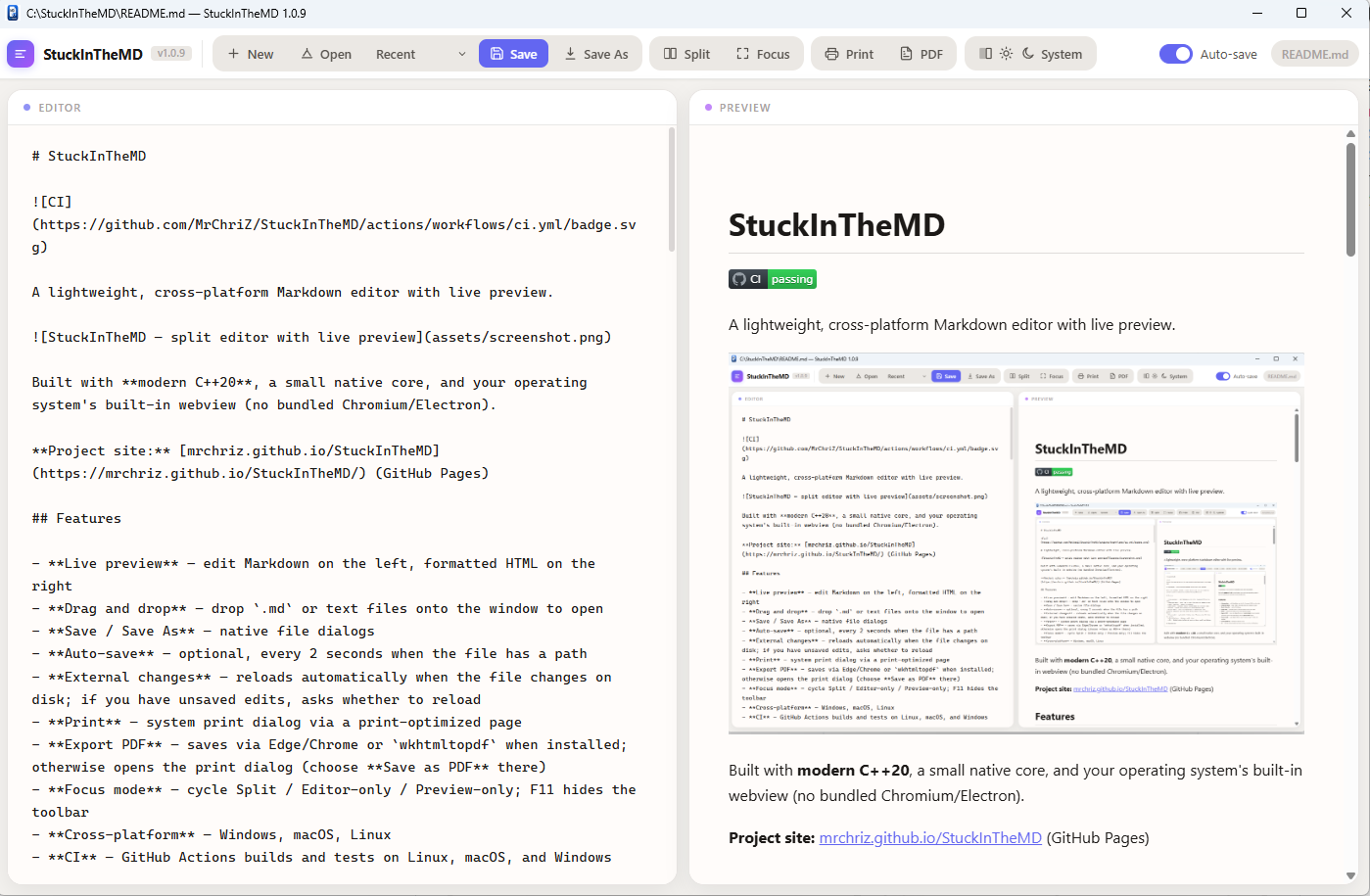
Live preview, native save dialogs, and your OS webview — no bundled Chromium or Electron. A small C++20 app that stays out of your way.
 Tested on Linux, macOS, and Windows
Features
-
Live preview
Edit Markdown on the left; formatted HTML updates on the right.
-
Lightweight runtime
WebView2, WebKit, or WebKitGTK — whatever your OS already ships.
-
Files & sync
Open, save, drag-and-drop, auto-save, and reload when the file changes on disk.
-
Focus mode
Cycle split, editor-only, or preview-only. F11 hides the toolbar.
-
Print & PDF
System print dialog; export PDF via Edge/Chrome or
wkhtmltopdfwhen available. -
Smart links
Preview links open in your browser;
.mdlinks open in StuckInTheMD.
Download
| Platform | Install |
|---|---|
| Windows (x64) | Latest installer (~2.5 MB) |
| macOS | Build from source (see README) |
| Linux | Build from source (see README) |
On Windows 10, install the WebView2 runtime if the window does not appear.
Keyboard shortcuts
- Ctrl+O
- Open
- Ctrl+S
- Save
- Ctrl+Shift+S
- Save As
- Ctrl+P
- Ctrl+\
- Cycle view
- F11
- Distraction-free
- Ctrl+Shift+D
- Theme
Build from source
git clone https://github.com/MrChriZ/StuckInTheMD.git
cd StuckInTheMD
bash scripts/bootstrap-third-party.sh
cmake -S . -B build -DCMAKE_BUILD_TYPE=Release
cmake --build build --config Release
Full platform notes and tests are in the README.